
Getting started

Three things from you.
Then we take over.

Onboarding takes about 10 minutes. Once these three steps are done, our team audits, disputes, and tracks everything — you just watch the portal.
Getting started with ScoreBoost onboarding
1

Sign your agreements, then register

Before any work begins, you’ll review and sign your Consumer Credit File Rights and our Service Agreement — right here on this site. Once you’ve signed, we forward you to the client portal to create your account, where you’ll see every finding, every letter we send, and every result that comes back.
2

Sign up with MyFreeScoreNow

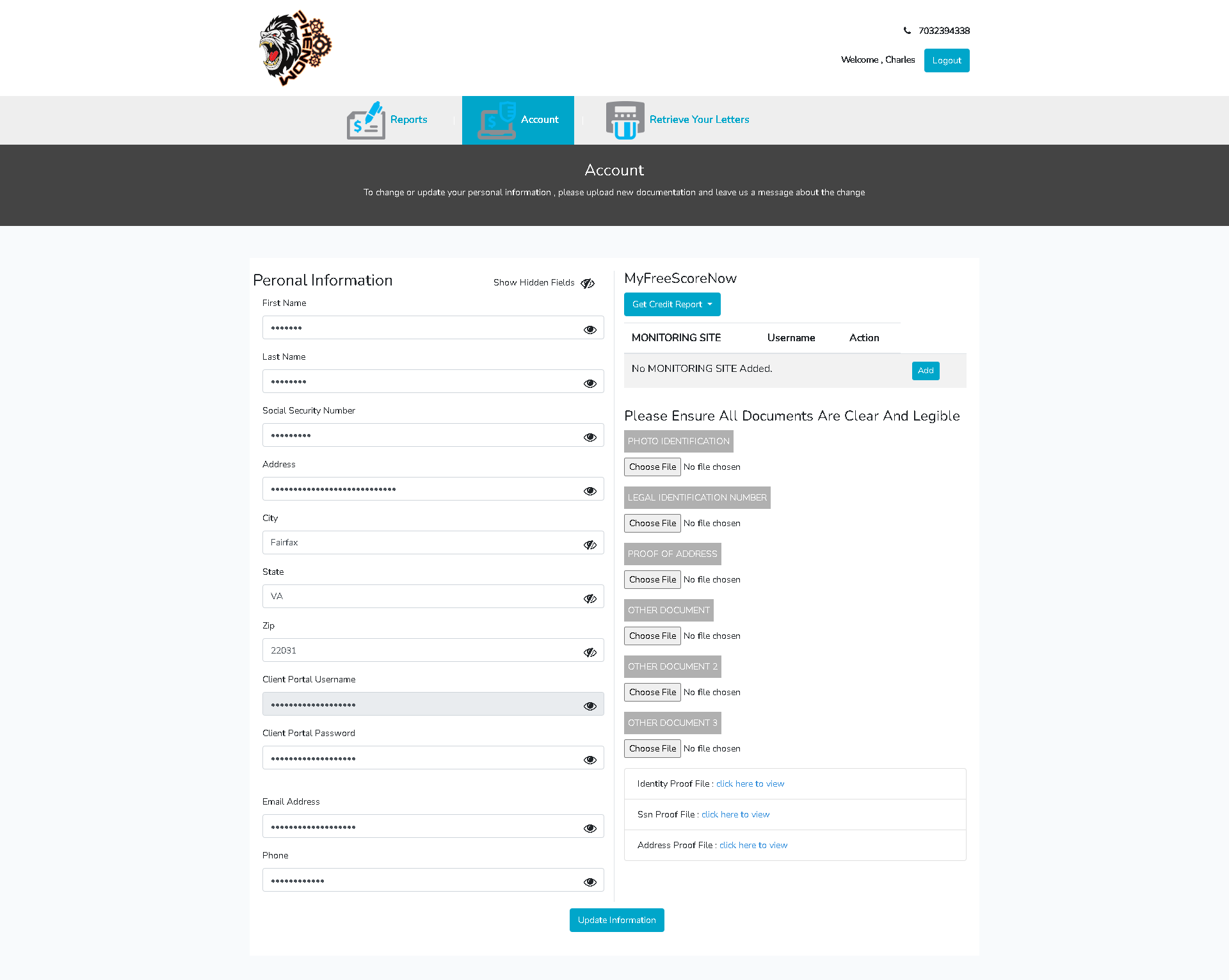
If you haven’t already, enroll at MyFreeScoreNow for 3-bureau credit monitoring ($1 7-day trial, then $29.95/mo — your own subscription, billed by MyFreeScoreNow and required for our service). Then, on the portal’s Account page, add it under Monitoring Site so we can pull your reports each round.
3

Upload your three documents

On the same Account page, upload a clear photo of each:
Driver’s license — goes under Photo Identification
Social Security card — goes under Legal Identification Number
Utility bill (recent) — goes under Proof of Address
Make sure every document is clear and legible — blurry uploads delay your first round. As federal law requires, our audit and dispute work begins after your 3-business-day cancellation window has passed.
Client portal Account page — where you add MyFreeScoreNow and upload documents

The Account page in your client portal — monitoring on the right, document uploads below it.

Done with all three?

We’ll start your audit and you’ll see your first findings in the portal.

A plain-language note: ScoreBoost cannot guarantee any particular result, score change, or timeline, and no one can remove accurate, current, verifiable information from a credit report. You always have the right to dispute anything on your report yourself, for free. Results vary from person to person.

Start with a free audit